Raspberry Pi - Minecraft - Hide and Seek
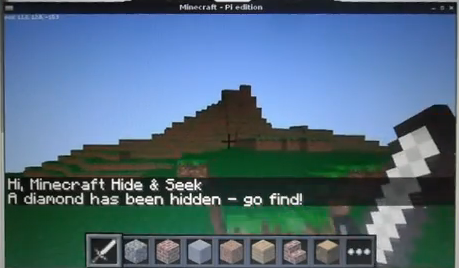
Ive been playing around with the pre-release of minecraft on the Raspberry Pi and in particular the API, see this post for some background on the basics, and rather than watching ‘Food Inspectors’ on the tv, I thought I would see if I could write a game in minecraft (a game in a game I suppose) in an hour. This is what I came up with….
Minecraft - Hide and Seek!
The concept is really simple, a diamond block is hidden, at a random location, in the minecraft world and you have to find it and stand next to it and its quickest time wins. You are helped along the way by the game telling you whether you are getting “warmer” or “colder” and how far you are from the block!
I recorded this video using the the pre-release and you will notice towards the end of the video that it starts to go a bit weird, with a flashing screen and the player being moved about!
Download and run You can download the code direct from git-hub, so run minecraft, open/create a world and follow the instructions:
sudo apt-get install git-core
cd ~
git clone https://github.com/martinohanlon/minecraft-hs.git
cd minecraft-hs
python minecraft-hs.py
The code If you want learn and have a go yourself, here’s how:
Create a directory for the program
mkdir ~/minecraft-hs
Create minecraft-hs.py python program
nano ~/minecraft-hs/minecraft-hs.py
or open Idle and save minecraft-hs.py to the minecraft-hs directory
Code
#www.stuffaboutcode.com
#Raspberry Pi, Minecraft - hide and seek

#import the minecraft.py module from the mcpi library
import mcpi.minecraft as minecraft
#import minecraft block module
import mcpi.block as block
#import time, so delays can be used
import time
#import random module to create random number
import random
#import math module to use square root function
import math

#function to round players float position to integer position
def roundVec3(vec3):
    return minecraft.Vec3(int(vec3.x), int(vec3.y), int(vec3.z))

def distanceBetweenPoints(point1, point2):
    xd = point2.x - point1.x
    yd = point2.y - point1.y
    zd = point2.z - point1.z
    return math.sqrt((xd*xd) + (yd*yd) + (zd*zd))

if __name__ == "__main__":

    #Connect to minecraft by creating the minecraft object
    # - minecraft needs to be running and in a game
    mc = minecraft.Minecraft.create()

    #Post a message to the minecraft chat window
    mc.postToChat("Hi, Minecraft Hide & Seek")

    time.sleep(2)

    #Find the players position
    playerPos = mc.player.getPos()

    #Create random position within 50 blocks from the player, our hidden block will go there
    randomBlockPos = roundVec3(playerPos)
    randomBlockPos.x = random.randrange(randomBlockPos.x - 50, randomBlockPos.x + 50)
    randomBlockPos.y = random.randrange(randomBlockPos.y - 5, randomBlockPos.y + 5)
    randomBlockPos.z = random.randrange(randomBlockPos.z - 50, randomBlockPos.z + 50)
    print randomBlockPos

    #Create hidden diamond block
    mc.setBlock(randomBlockPos.x, randomBlockPos.y, randomBlockPos.z, block.DIAMOND_BLOCK)
    mc.postToChat("A diamond has been hidden - go find!")

    #Start hide and seek
    seeking = True
    lastPlayerPos = playerPos
    lastDistanceFromBlock = distanceBetweenPoints(randomBlockPos, lastPlayerPos)
    timeStarted = time.time()
    while (seeking == True):
        #Get players position
        playerPos = mc.player.getPos()
        #Has the player moved
        if lastPlayerPos != playerPos:
            #print "lastDistanceFromBlock = " + str(lastDistanceFromBlock)
            distanceFromBlock = distanceBetweenPoints(randomBlockPos, playerPos)
            #print "distanceFromBlock = " + str(distanceFromBlock)
            if distanceFromBlock < 2:
                #found it!
                seeking = False
            else:
                if distanceFromBlock < lastDistanceFromBlock:
                    mc.postToChat("Warmer " + str(int(distanceFromBlock)) + " blocks away")
                if distanceFromBlock > lastDistanceFromBlock:
                    mc.postToChat("Colder " + str(int(distanceFromBlock)) + " blocks away")

            lastDistanceFromBlock = distanceFromBlock

        time.sleep(2)
    timeTaken = time.time() - timeStarted
    mc.postToChat("Well done - " + str(int(timeTaken)) + " seconds to find the diamond")

    time.sleep(5)

    mc.postToChat("www.stuffaboutcode.com")
The complete code repository is also on github, https://github.com/martinohanlon/minecraft-hs.git.
Run
Note - minecraft must be running and you must be in a game
python ~/minecraft-hs/minecraft-hs.py
or if using Idle, click Run Module