Raspberry Pi - Minecraft - Snake
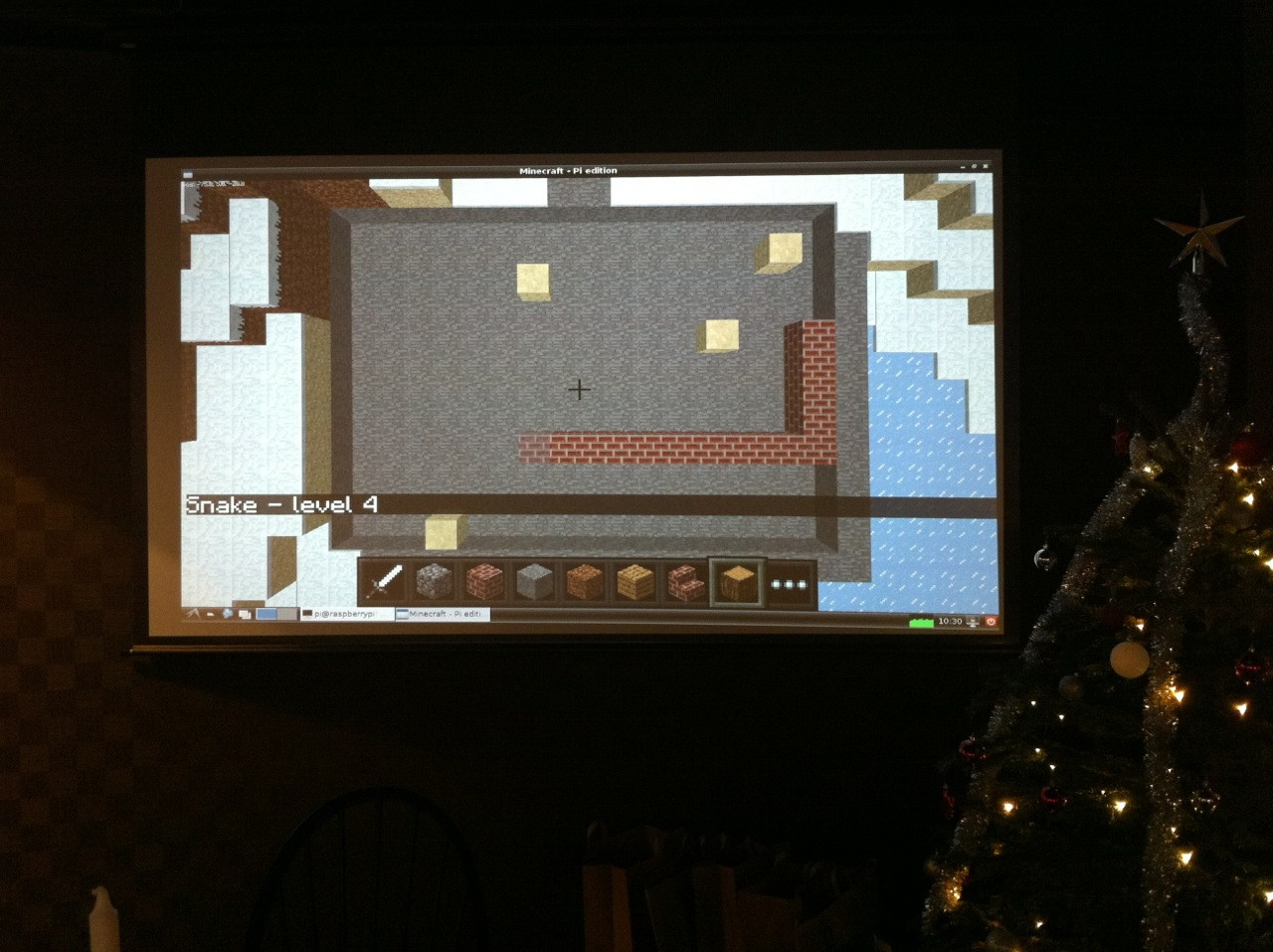 A post on the MCPi sub-reddit asked if someone could re-create the snake game of which there was a picture for, but no code.
I was prepared to take up the challenge but I didn’t want to re-create this, I fancied creating my own snake game, so with the wife away visiting her mother, what else was there to do with my Saturday night!
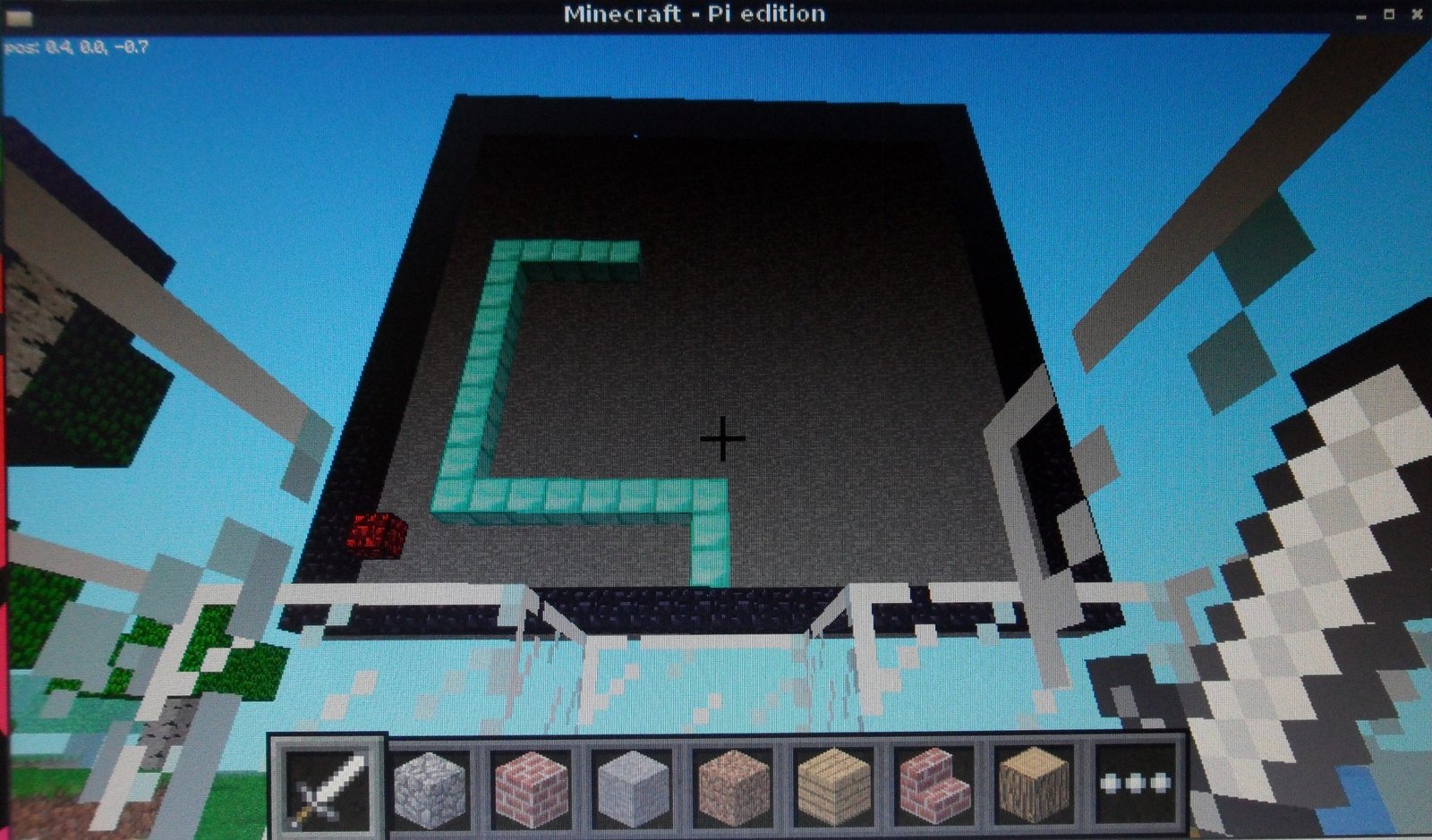 The biggest challenge was devising a way of the player controlling the snake, I tried out hitting blocks and capturing events, but it was a bit weird so I settled on having 4 blocks on the floor (up, down, left right) which the player stands on to control the snake.
I had to put glass blocks at head height around the player as well, otherwise it was just to difficult to gauge your movements accurately enough to make it work.
Other than that its pretty simple, I clear some space before I create a great big playing board and controls, I then wrote a class to control the snake and a bit of code which checks the position of the player and changes the direction of the snake accordingly.
The only thing I’m not sure about is the gameplay, I’m not 100% sure I got it right, and without a serious hunt I wouldn’t have been able to find a Nokia phone to test it (!), if you know different, put a comment and I’ll make some changes or even better take the code and have a go yourself.
If you want to play snake in Minecraft (and quite frankly who wouldn’t!):
Download and run You can download the code direct from git-hub, so run minecraft, open/create a world and follow the instructions:
sudo apt-get install git-core
cd ~
git clone https://github.com/martinohanlon/minecraft-snake.git
cd minecraft-snake
python minecraft-snake.py
The code If you want learn and have a go yourself, here’s how:
Create a directory for the program
mkdir ~/minecraft-snake
Copy the python api class library from minecraft to the programs directory
cp -r ~/mcpi/api/python/mcpi ~/minecraft-snake/minecraft
Create minecraft-snake.py python program
nano ~/minecraft-snake/minecraft-snake.py
or open Idle and save minecraft-snake.py to the minecraft-snake directory
Code
#www.stuffaboutcode.com
#Raspberry Pi, Minecraft Snake

#import the minecraft.py module from the minecraft directory
import minecraft.minecraft as minecraft
#import minecraft block module
import minecraft.block as block
#import time, so delays can be used
import time
#import random module to create random number
import random

#snake class which controls the whole game
class Snake:
    def __init__(self, mc, startVec3, playingBottomLeft, playingTopRight):
        self.mc = mc
        self.direction = "up"
        self.lenght = 5
        self.tail = []
        self.tail.insert(0, startVec3)
        self.playingBottomLeft = playingBottomLeft
        self.playingTopRight = playingTopRight
        self.createApple()
        self.score = 0

    #draw's the whole snake
    def draw(self):
        for segment in self.tail:
            self.mc.setBlock(segment.x, segment.y, segment.z, block.DIAMOND_BLOCK)

    #add's one segment to the snake
    def addSegment(self, segment):
        self.mc.setBlock(segment.x, segment.y, segment.z, block.DIAMOND_BLOCK)
        self.tail.insert(0, segment)
        #do I need to clear the last segment
        if (len(self.tail) > self.lenght):
            lastSegment = self.tail[len(self.tail)-1]
            self.mc.setBlock(lastSegment.x, lastSegment.y, lastSegment.z, block.AIR)
            #pop the last segment off the tail
            self.tail.pop()

    #moves the snake, if it cant it returns false (i.e. game over)
    def move(self):
        newSegment = minecraft.Vec3(self.tail[0].x, self.tail[0].y, self.tail[0].z)
        if self.direction == "up":
            newSegment.y = newSegment.y + 1
        elif self.direction == "down":
            newSegment.y = newSegment.y - 1
        elif self.direction == "left":
            newSegment.x = newSegment.x - 1
        elif self.direction == "right":
            newSegment.x = newSegment.x + 1
        if (self.checkCollision(newSegment) == False):
            self.addSegment(newSegment)
            #have I eaten the apple?
            if (matchVec3(newSegment, self.apple) == True):
                #increase my lenght
                self.lenght = self.lenght + 2
                #increase my score
                self.score = self.score + 10
                #create a new apple
                self.createApple()
            return True
        else:
            #game over
            #flash snake head
            mc.setBlock(self.tail[0].x, self.tail[0].y, self.tail[0].z, block.AIR)
            time.sleep(0.3)
            mc.setBlock(self.tail[0].x, self.tail[0].y, self.tail[0].z, block.DIAMOND_BLOCK)
            time.sleep(0.3)
            mc.setBlock(self.tail[0].x, self.tail[0].y, self.tail[0].z, block.AIR)
            time.sleep(0.3)
            mc.setBlock(self.tail[0].x, self.tail[0].y, self.tail[0].z, block.DIAMOND_BLOCK)
            time.sleep(0.3)
            #show score
            mc.postToChat("Game over - score = " + str(self.score))
            time.sleep(5)
            mc.postToChat("www.stuffaboutcode.com")
            return False

    #function to check if a new segment (or apple) can go there
    def checkCollision(self, newSegment):
        #am I going the boundary
        if ((newSegment.x == playingBottomLeft.x) or (newSegment.y == playingBottomLeft.y) or (newSegment.x == playingTopRight.x) or (newSegment.y == playingTopRight.y)):
            return True
        else:
            #or my own tail
            hitTail = False
            for segment in self.tail:
                if (matchVec3(segment, newSegment) == True):
                    hitTail = True
            return hitTail

    #function to change the snake's direction
    def changeDirection(self, newDirection):
        #code to make sure user doesnt try and make the snake move back on itself
        if (newDirection == "up"):
            if (self.direction != "down"): self.direction = newDirection
        elif (newDirection == "down"):
            if (self.direction != "up"): self.direction = newDirection
        elif (newDirection == "left"):
            if (self.direction != "right"): self.direction = newDirection
        elif (newDirection == "right"):
            if (self.direction != "left"): self.direction = newDirection

    #create the apple at a random position on the board
    def createApple(self):
        badApple = True
        #loop until an apple is created which doesnt collide with the boundary or the snake
        while (badApple == True):
            x = random.randrange(playingBottomLeft.x, playingTopRight.x)
            y = random.randrange(playingBottomLeft.y, playingTopRight.y)
            z = playingBottomLeft.z
            newApple = minecraft.Vec3(x, y, z)
            badApple = self.checkCollision(newApple)
        self.apple = newApple
        self.mc.setBlock(self.apple.x, self.apple.y, self.apple.z, block.GLOWING_OBSIDIAN)

#Compares vec3 objects, if they are the same returns true
def matchVec3(vec1, vec2):
    if ((vec1.x == vec2.x) and (vec1.y == vec2.y) and (vec1.z == vec2.z)):
        return True
    else:
        return False

#draws a vertical outline
def drawVerticalOutline(mc, x0, y0, x1, y1, z, blockType, blockData=0):
    mc.setBlocks(x0, y0, z, x0, y1, z, blockType, blockData)
    mc.setBlocks(x0, y1, z, x1, y1, z, blockType, blockData)
    mc.setBlocks(x1, y1, z, x1, y0, z, blockType, blockData)
    mc.setBlocks(x1, y0, z, x0, y0, z, blockType, blockData)

#main program
if __name__ == "__main__":

    #constants
    screenBottomLeft = minecraft.Vec3(-10,4,15)
    screenTopRight = minecraft.Vec3(10,24,15)
    playingBottomLeft = minecraft.Vec3(-10, 4, 14)
    playingTopRight = minecraft.Vec3(10, 24, 14)
    snakeStart = minecraft.Vec3(0, 5, 14)
    upControl = minecraft.Vec3(0, -1, 1)
    downControl = minecraft.Vec3(0, -1, -1)
    leftControl = minecraft.Vec3(-1, -1, 0)
    rightControl = minecraft.Vec3(1, -1, 0)
    middleControl = minecraft.Vec3(0, 0, 0)

    #Connect to minecraft by creating the minecraft object
    # - minecraft needs to be running and in a game
    mc = minecraft.Minecraft.create()

    #Post a message to the minecraft chat window
    mc.postToChat("Hi, Minecraft Snake, www.stuffaboutcode.com")

    #Build game board
    # clear a suitably large area
    mc.setBlocks(-10, 0, -5, 10, 25, 16, block.AIR)
    # create playing board
    mc.setBlocks(screenBottomLeft.x, screenBottomLeft.y, screenBottomLeft.z, screenTopRight.x, screenTopRight.y, screenTopRight.z, block.STONE)
    drawVerticalOutline(mc, playingBottomLeft.x, playingBottomLeft.y, playingTopRight.x, playingTopRight.y, playingTopRight.z, block.OBSIDIAN)

    # create control buttons
    mc.setBlock(upControl.x, upControl.y, upControl.z, block.DIAMOND_BLOCK)
    mc.setBlock(downControl.x, downControl.y, downControl.z, block.DIAMOND_BLOCK)
    mc.setBlock(leftControl.x, leftControl.y, leftControl.z, block.DIAMOND_BLOCK)
    mc.setBlock(rightControl.x, rightControl.y, rightControl.z, block.DIAMOND_BLOCK)
    # blocks around control buttons, to stop player moving off buttons
    mc.setBlock(middleControl.x + 2,middleControl.y + 1,middleControl.z, block.GLASS)
    mc.setBlock(middleControl.x - 2,middleControl.y + 1,middleControl.z, block.GLASS)
    mc.setBlock(middleControl.x,middleControl.y + 1,middleControl.z + 2, block.GLASS)
    mc.setBlock(middleControl.x,middleControl.y + 1,middleControl.z - 2, block.GLASS)
    mc.setBlock(middleControl.x - 1,middleControl.y + 1,middleControl.z - 1, block.GLASS)
    mc.setBlock(middleControl.x - 1,middleControl.y + 1,middleControl.z + 1, block.GLASS)
    mc.setBlock(middleControl.x + 1,middleControl.y + 1,middleControl.z + 1, block.GLASS)
    mc.setBlock(middleControl.x + 1,middleControl.y + 1,middleControl.z - 1, block.GLASS)
    mc.setBlock(middleControl.x,middleControl.y - 1,middleControl.z, block.STONE)
    # put player in the middle of the control
    mc.player.setPos(middleControl.x + 0.5,middleControl.y,middleControl.z + 0,5)

    #time for minecraft to catchup
    time.sleep(3)

    mc.postToChat("Walk forward, backward, left, right to control the snake")
    time.sleep(3)

    #create snake
    snake = Snake(mc, snakeStart, playingBottomLeft, playingTopRight)
    snake.draw()

    playing = True

    try:
        #loop until game over
        while playing == True:
            #sleep otherwise the snake moves WAY too fast
            time.sleep(0.3)
            #get players position - are they on a control tile, if so change snake's direction
            playerTilePos = mc.player.getTilePos()
            playerTilePos.y = playerTilePos.y - 1
            if matchVec3(playerTilePos, upControl) == True: snake.changeDirection("up")
            elif matchVec3(playerTilePos, downControl) == True: snake.changeDirection("down")
            elif matchVec3(playerTilePos, leftControl) == True: snake.changeDirection("left")
            elif matchVec3(playerTilePos, rightControl) == True: snake.changeDirection("right")
            #move the snake
            playing = snake.move()
    except KeyboardInterrupt:
        print "stopped"