Read PiAware Flight Data with Python
I have been using Piaware for a couple of weeks and I like the idea of being able to read the signals from aircraft just using simple equipment.
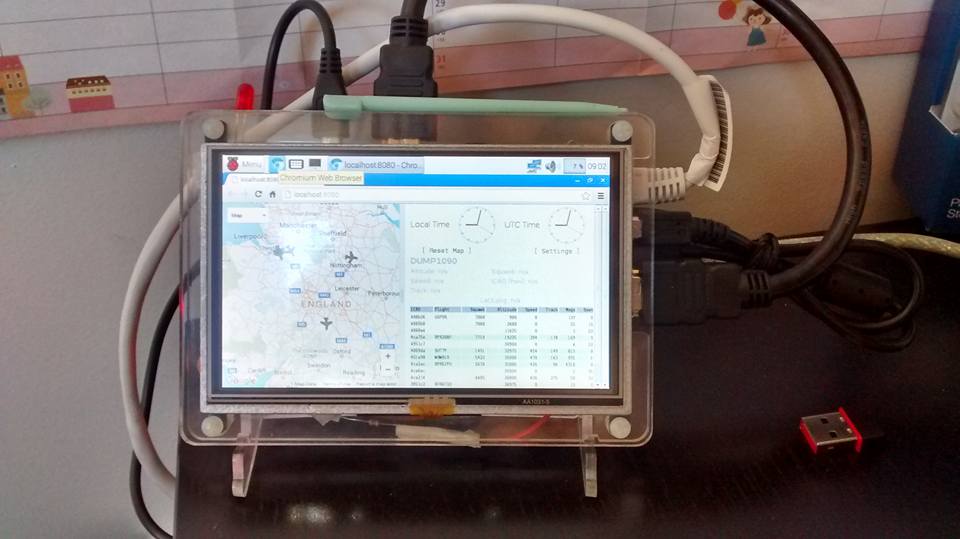
I wanted to use this information to do interesting ‘stuff’, I’m imagining home built radars and led’s which flash, but before I could do anything cool I needed to find a way of getting to this data using Python.
Its possible to read data directly from the dump1090 program using tcp sockets, but the data is a raw stream and it seemed like too much work (I’m all for simplicity)!
The Piaware install also comes with a web front end so you can see the data you are receiving [http://localhost:8080], you can also get to the json data [http://localhost:8080/data.json] which is feeding this web page and this looked like a much easier way of getting the data out.
I create a small Python 3 class called FlightData [link to github flightdata.py] which reads the data from the web page and parses it into an object.
You can install it by cloning the flightdata github repository and copying the flightdata.py file to your project (if there is sufficient interest I’ll make it into an ‘installable’ module):
git clone https://github.com/martinohanlon/flightdata
cp ./flightdata/fightdata.py ./myprojectpath
You can test it by running the flightdata.py program file:
python3 flightdata.py
Below is a sample program which shows how to use it:
from flightdata import FlightData
from time import sleep

myflights = FlightData()
while True:
    #loop through each aircraft found
    for aircraft in myflights.aircraft:

        #read the aircraft data
        print(aircraft.hex)
        print(aircraft.squawk)
        print(aircraft.flight)
        print(aircraft.lat)
        print(aircraft.lon)
        print(aircraft.validposition)
        print(aircraft.altitude)
        print(aircraft.vert_rate)
        print(aircraft.track)
        print(aircraft.validtrack)
        print(aircraft.speed)
        print(aircraft.messages)
        print(aircraft.seen)
        print(aircraft.mlat)

    sleep(1)

    #refresh the flight data
    myflights.refresh()