Minecraft Sat Nav
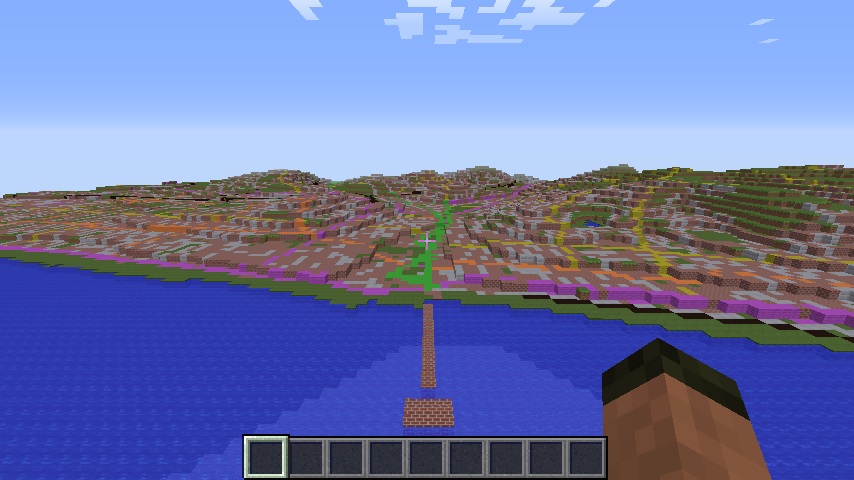 A couple of months back the ordnance survey created version 2 of their Minecraft map of Great Britain, its got loads more detail than the original, and is even more brilliant than there first one.
It is however a pain to get around… Welcome “Minecraft Sat Nav”, utterly ridiculous, totally pointless but at the same time brilliant.
Imagine you are exploring Minecraft Great Britain and you suddenly realise you need to get to Macclesfield but dont know the way, simple fire up Minecraft Sat Nav (patent pending!) and type
navigate Macclesfield
and it will give you a street by street navigation between your location and a town which was previously one of the world’s biggest producers of silk!
How does it work? Here are some facts:
- Its a python program
- It uses a Canarymod minecraft server to host the map
- The RaspberryJuice plugin is used to talk to Minecraft
- It uses the MapQuest open API’s to get the locations and directions
- I reverse engineered Ordance Survey’s ‘conversion tool’ to work out how to turn eastings and northings into Minecraft co-ordinates
- I used Hannah Fry’s awesome python code to turn latitude and longitude into eastings and northings
- Its got a low tech ‘retro styled’ command line interface
You want to have a go yourself? Here’s a guide:
- Buy yourself a copy of Adventures in Minecraft ;) - honestly you really cant go wrong and it’ll teach you what you need to know to make your own Minecraft Sat Nav!
- Setup a Canarymod server with RaspberryJuice
- Download the Ordnance Survey Minecraft GB map
- Replace the default world in canarymod with the Minecraft GB map
- Download theMinecraft Sat Nav program
- Run the MinecraftSatNav.py python program
The commands are really simple:
teleport <location>e.g.teleport londonnavigate <destination>e.g.navigate fort williamnavigateFrom <start>,<dest>e.g.navigate sheffield, grindlefordexit
Enuf said..