Programming Minecraft with Bukkit & Raspberry Juice
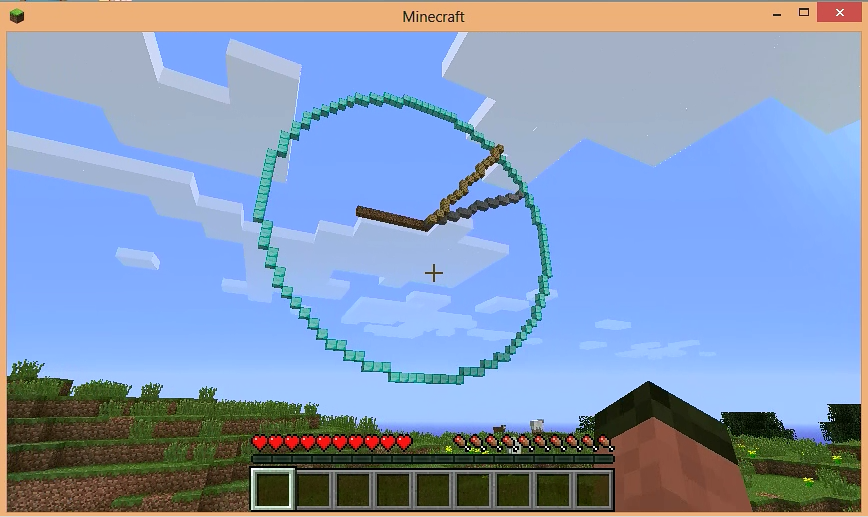 Ever wanted to create your own programs for the full version of Minecraft, but the lack of an API, is a challenge. Well with Bukkit (a custom server for Minecraft) and a plugin called Raspberry Juice, which emulates the API you get with Minecraft: Pi Edition you can.
Download and Install Bukkit
- Create a folder for Bukkit, anywhere it doesn’t matter
- Head over to http://dl.bukkit.org and download the latest version of Bukkit, note that if you want to use the latest version of Minecraft, you might need to download the Beta Build and save the .jar file to the folder.
- Rename the downloaded .jar file from craftbukkit-#.#.#-R#.#.jar to craftbukkit.jar
- Open Notepad, insert the following text:
java -Xms1024M -Xmx1024M -jar craftbukkit.jar -o true
PAUSE
- Save the file in the folder as run.bat
Run Bukkit
Double click run.bat
Test Bukkit
Open Minecraft, Multiplayer, Direct Connect, Type “localhost”, Join Server
You can stop bukkit by typing
stop
in the bukkit command window
Download and Install Raspberry Juice
- Download raspberry juice from http://dev.bukkit.org/bukkit-mods/raspberryjuice/files/
- Save the raspberry juice .jar file to plugins folder in the bukkit folder
- Start up bukkit
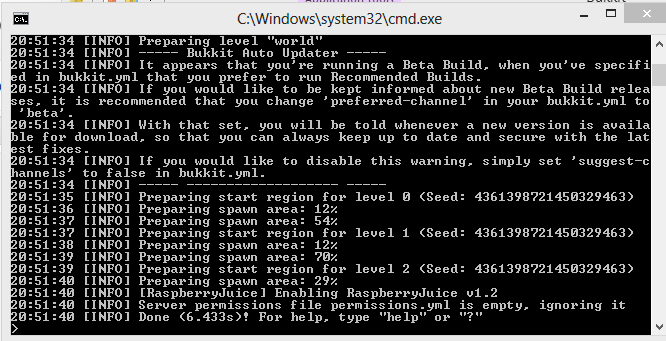
If everything has gone to plan you should see a message when you start up bukkit that RaspberryJuice has been enabled.
Now, you can run the programs you created for Minecraft: Pi Edition on the full edition of Minecraft.
Minecraft Analogue Clock running using Bukkit and Raspberry Juice
Limitations
The raspberry juice plugin doesn’t currently support all the functions of the Minecraft: Pi Edition API, see http://dev.bukkit.org/bukkit-mods/raspberryjuice/ for a list of supported functions.