Raspberry Pi - ADXL345 Accelerometer & Python
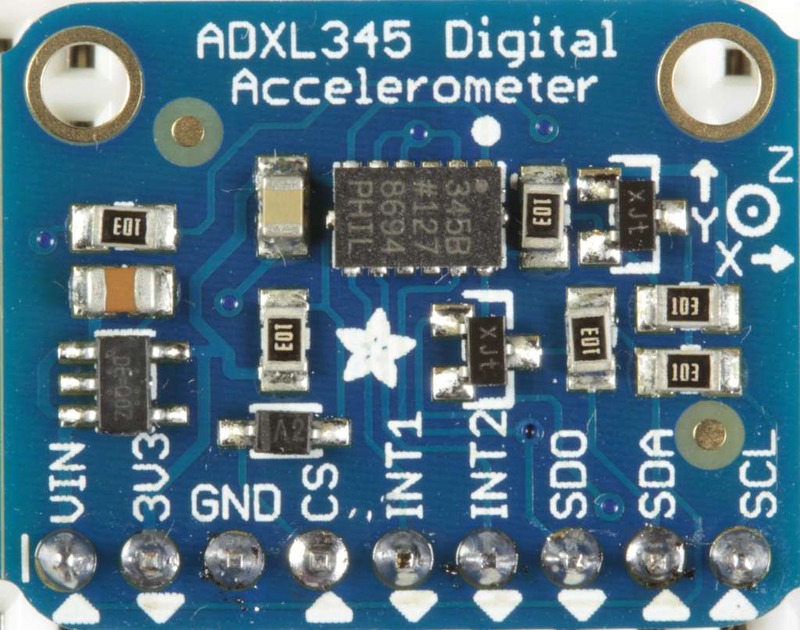 A little while ago I got my hands on a Adafuit ADXL345 (a triple axis accelerometer) from pimoroni, you can also get them from Amazon (US, UK) if that’s easier, and I finally got around to setting it up.
Pimoroni also provide a really useful python module to interacting with the ADXL345 which you can get from github - https://github.com/pimoroni/adxl345-python.
Connecting it up Wiring up the accelerometer is pretty easy, there are only 4 connections:
Raspberry Pi -> ADXL345:
- GND - GND
- 3V - 3V3
- SDA - SDA
- SCL - SCL
Configure your Pi The ADXL345 supports both I2C and SPI connections, I used I2C, which requires some configuration on the Pi:
Add the I2C modules to the Pi’s configuration:
sudo nano /etc/modules
add the following lines:
i2c-bcm2708
i2c-dev
Remove I2C from the blacklist:
sudo nano /etc/modprobe.d/raspi-blacklist.conf
comment out:
blacklist i2c-bcm2708
so its:
#blacklist i2c-bcm2708
Reboot to make the changes:
sudo shutdown -r now
Install Software You will need to install some software:
sudo apt-get install python-smbus i2c-tools git-core
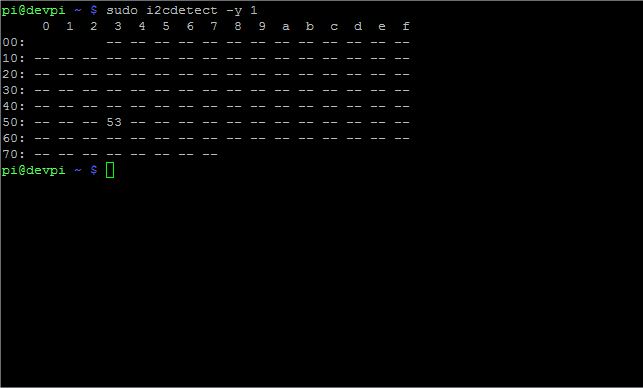
Test ADXL345 You can check that your ADXL345 is found on the I2C bus, by running:
sudo i2cdetect -y 1
You should see a device at address 53
Download the ADXL345 pimoroni python library from github:
git clone https://github.com/pimoroni/adxl345-python
Run the example code and test it is working:
cd adxl345-python
sudo python example.py
You should see the G readings from the ADXL345.
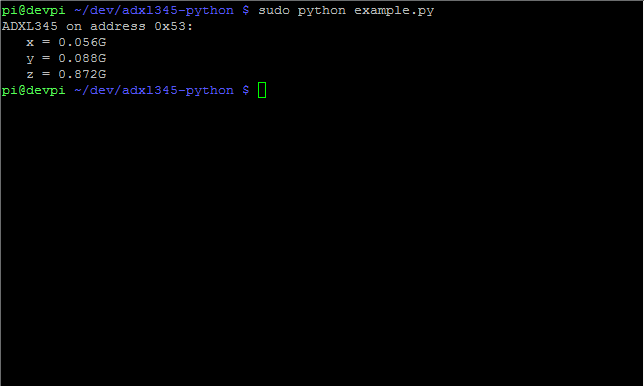
If you get 0.000G for all axis then something probably isn’t set-up correctly.
Writing your own python program The adxl345-python project from pimoroni contains a python module for reading data from the ADXL345 perhaps not unsurprisingly called “adxl345.py”, inside there is a class called “ADXL345” which is how you to interact with the accelerometer
The program below imports the module, instantiates an ADXL345 object and reads values from the accelerometer as g-forces.
#import the adxl345 module
import adxl345

#create ADXL345 object
accel = adxl345.ADXL345()

#get axes as g
axes = accel.getAxes(True)
# to get axes as ms^2 use
#axes = accel.getAxes(False)

#put the axes into variables
x = axes['x']
y = axes['y']
z = axes['z']

#print axes
print x
print y
print z
Change sensitivity You can change the sensitivity of the ADXL345 by using the .setRange() method of the class.
The default range is 2g which means that the maximum G the ADXL345 can measure is 2.048, but at a high degree of sensitivity, you can change it so the maximum is 2g, 4g, 8g or 16g but with a lower level of sensitivity using:
accel.setRange(adxl345.RANGE_2G)
accel.setRange(adxl345.RANGE_4G)
accel.setRange(adxl345.RANGE_8G)
accel.setRange(adxl345.RANGE_16G)
Its a great accelerometer and really easy to use in your python projects.