Raspberry Pi Car Cam overlaid with OBD data
I like motorsport and love driving my car around race tracks, the only problem is when you capture this on film, using a dashcam or similar, it looks rubbish! I wanted to add some data about what was going on.
I recently blogged about how to use a raspberry pi to read car diagnostics data, I modified this program to log the data to a file, I then went for a drive around Castle Combe racetrack using the raspberry pi camera board to capture HD video alongside the OBD-II diagnostics data from the car
I then created a program which converted the OBD-II data into a subtitle file and used mencoder to overlay the data (RPM, MPH, Temperature & Throttle position) as subtitles on top of the video.
A couple of laps around Castle Combe in a Lotus Elise
Capture Video I used the standard raspivid program to capture the video from the camera board I had mounted on the dash:
filename=$(date -u +"%Y%m%d_%H%M%S").h264
raspivid -o /home/pi/$filename -hf -vf -t 1200000 > /home/pi/camera.log 2>&1 &
The line
filename=$(date -u +"%Y%m%d_%H%M%S").h26
4 creates a variable for the filename which is the date + the time + a .h264 at the end. e.g.
20131715_214854.h264
raspivid
:
-o /home/pi/$filename- sets the output filename to the variable just created-hf- flips the video horizontally, otherwise the perspective when looking forward from the car is wrong-vt- flips the video vertically, because I had the camera mounted upside down-t 1200000- the number of milliseonds to run the video (20 mins * 60 seconds * 1000 milliseconds)> /home/pi/camera.log- logs the standard output to a file2>&1- logs the standard error to a file&- runs the program ‘in the background’
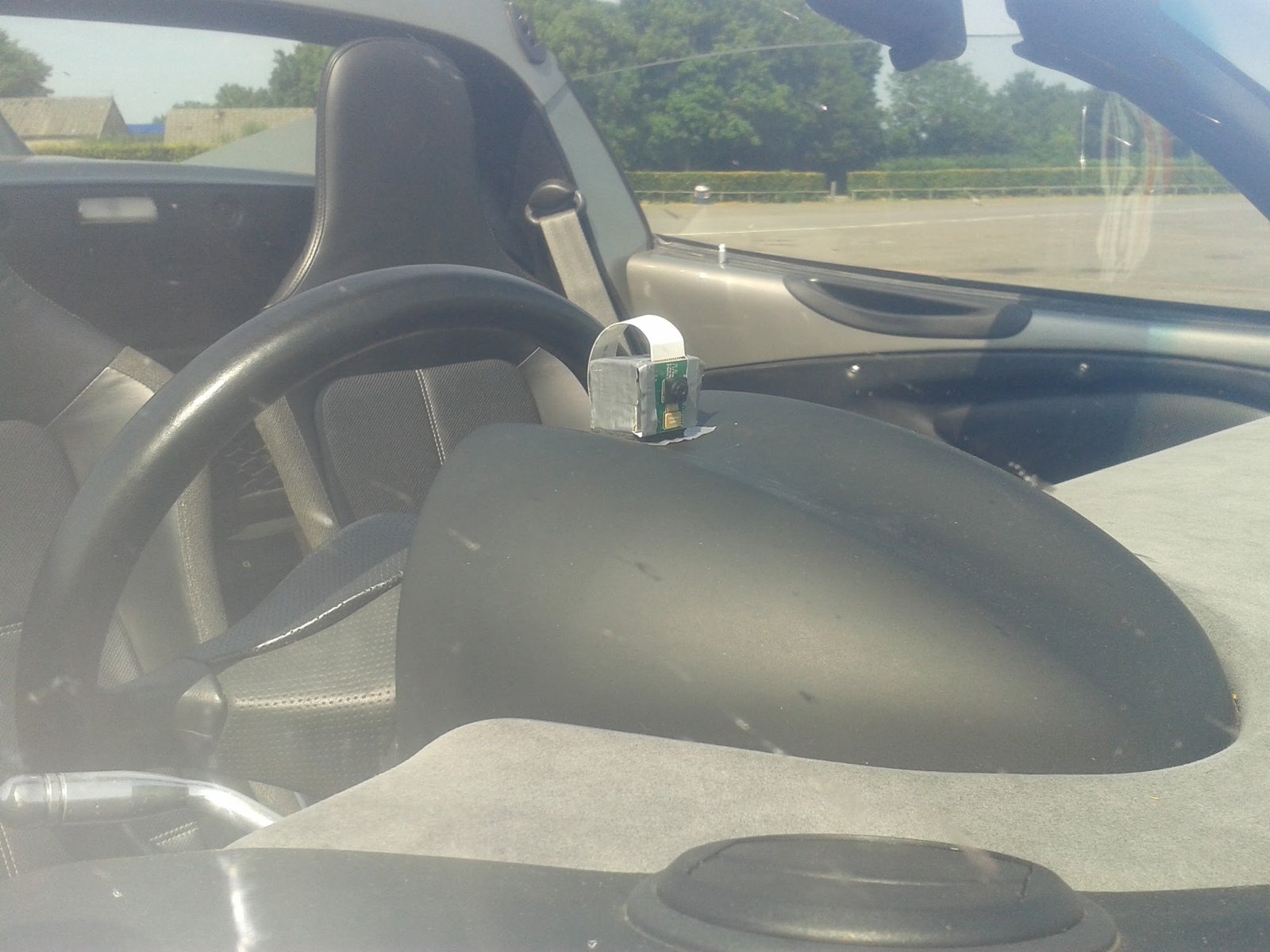
Capture OBD data The program I wrote reads the car diagnostics data using a ELM237 usb reader and creates a simple file in a CSV (comma seperated variable) file format of [Time, Sensor, Value, Unit]
22:51:18.316714,       Throttle Position,9.41176470588,%
22:51:18.442497,     Coolant Temperature,81,C
22:51:18.598279,              Engine RPM,2664,
22:51:18.728214,           Vehicle Speed,14.9160969546,MPH
22:51:18.858959,       Throttle Position,9.41176470588,%
22:51:18.990455,     Coolant Temperature,81,C
22:51:19.147226,              Engine RPM,2767,
22:51:19.277207,           Vehicle Speed,14.9160969546,MPH
22:51:19.405847,       Throttle Position,9.01960784314,%
22:51:19.536875,     Coolant Temperature,81,C
22:51:19.700181,              Engine RPM,2837,
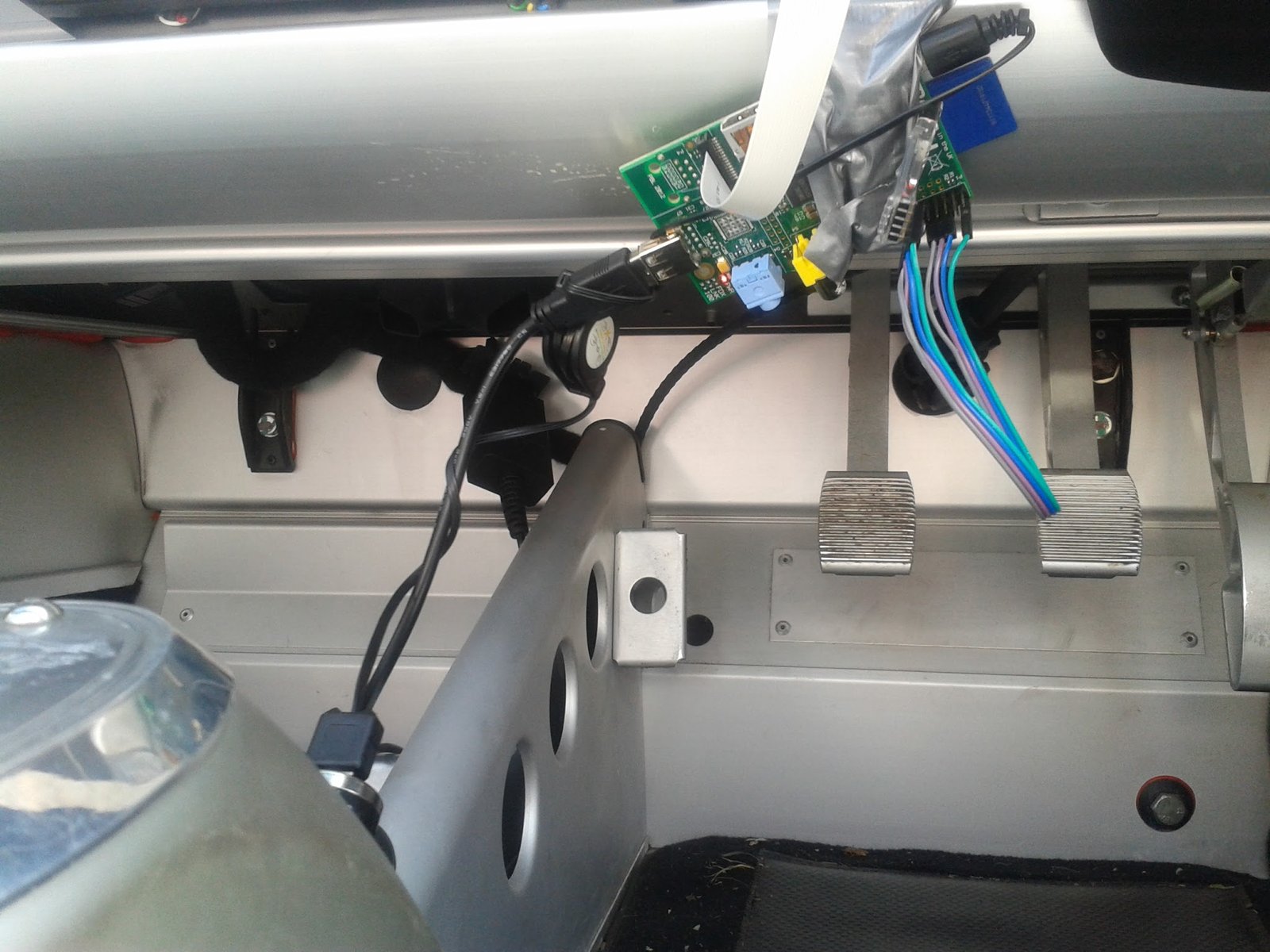
Create Subtitle File I created a program to read the OBD data file and convert this into a SubRip subtitle file. The SubRip files are simple text files which allow you to define subtitles which can be imported into or played alongside movies.
The subtitle file looks like this:
675
00:02:28,098 --> 00:02:28,224
           Vehicle Speed 14.9 MPH
     Coolant Temperature 81 C
       Throttle Position 5.0 %
              Engine RPM 2774

676
00:02:28,225 --> 00:02:28,353
           Vehicle Speed 14.9 MPH
     Coolant Temperature 81 C
       Throttle Position 5.0 %
              Engine RPM 2774

677
00:02:28,354 --> 00:02:28,513
           Vehicle Speed 14.9 MPH
     Coolant Temperature 81 C
       Throttle Position 5.0 %
              Engine RPM 2774
The first number (675) is the number of the subtitle in the sequence, the 2 times are the times that the subtitle should appear and then disappear within the movie, the text after this is the subtitle, the subtitle is then terminated with a carriage return.
The code:
#www.stuffaboutcode.com
#Create SRT file from odb data file

#import modules
import datetime
import time

#Class to manage creating SRT File
class CreateSRT:
    def __init__(self, srtFileName):
        #Open subtitle file
        self.srtFile = open(srtFileName, "w")
        self.subTitleCount = 0

    def addSubTitle(self, startTime, endTime, text):
        #Add subtitle to file
        # increment count
        self.subTitleCount += 1
        # write count
        self.srtFile.write(str(self.subTitleCount) + "\n")
        # write from and to time
        self.srtFile.write("{0:02d}".format(startTime.seconds / 3600) + ":" +
                           "{0:02d}".format((startTime.seconds % 3600) / 60) + ":" +
                           "{0:02d}".format((startTime.seconds % 3600) % 60) + "," +
                           "{0:03d}".format(startTime.microseconds / 1000) +
                           " --> " +
                           "{0:02d}".format(endTime.seconds / 3600) + ":" +
                           "{0:02d}".format((endTime.seconds % 3600) / 60) + ":" +
                           "{0:02d}".format((endTime.seconds % 3600) % 60) + "," +
                           "{0:03d}".format(endTime.microseconds / 1000) + "\n")
        # write subtitle text
        self.srtFile.write(text + "\n")

    def close(self):
        self.srtFile.close()

def stripOBDData(obdDataLine):
    obdDataItems = obdDataLine.split(",")
    return obdDataItems[0], obdDataItems[1], obdDataItems[2], obdDataItems[3]

def getSubTitleText(subTitleOutput):
    subTitleText = ""
    for subTitle in subTitleOutput:
        subTitleText += subTitle + " " + subTitleOutput[subTitle]
    return subTitleText

#data to drive program
obdDataFileName = "22_49_0_obd.log"
srtFileName = "22_49_0.srt"
#the time the video started, using 1/1/1900, as only have time for obd data
videoStartTime = datetime.datetime(1900, 1, 1, 22,48,55,312014)
subTitleOutput = {"           Vehicle Speed": "\n",
                  "              Engine RPM": "\n",
                  "       Throttle Position": "\n",
                  "     Coolant Temperature": "\n"}

if __name__ == "__main__":
    #Open OBD data file
    obdDataFile = open(obdDataFileName)
    # read in obd data
    obdData = obdDataFile.readlines()
    obdDataFile.close()
    #Create SRT file object
    srtFile = CreateSRT(srtFileName)
    lastSRTTime = datetime.timedelta(0,0,0,1)
    # loop through obd data
    for obdDataLine in obdData:
        # get data items about of the obd data string
        sensorTime, sensorName, sensorValue, SensorUnit = stripOBDData(obdDataLine)
        # is the sensor in the subtitle output?
        if (sensorName in subTitleOutput.keys()):
            # get sensor time as object
            sensorTime = datetime.datetime.strptime(sensorTime, "%H:%M:%S.%f")
            # get the difference between the start of the video and sensor time
            timeDiff = sensorTime - videoStartTime
            # occasionally the sensors are not written in cronological order!
            # no idea way, but i only want ones which are after the last one I saw
            if timeDiff > lastSRTTime:
                #Found a new sensor so the subtitle has changed
                # create the previous subtitle
                srtFile.addSubTitle(lastSRTTime, timeDiff, getSubTitleText(subTitleOutput))
                # update the subtitle output and store the last time
                # if the sensor has a "." take only the first 1 digits after the point
                if sensorValue.find(".") != -1: sensorValue = sensorValue[:sensorValue.find(".") + 2]
                subTitleOutput[sensorName] = sensorValue + " " + SensorUnit
                # add one millisecond to the last subtitle time so the next one doesn't appear exactly as the last one disappeared!
                lastSRTTime = timeDiff + datetime.timedelta(0,0,0,1)

    #close srt file class
    srtFile.close()
Overlay Subtitles onto Video I used MP4Box to put the h264 video stream created by raspivid into an mp4 file:
MP4Box -add 20130715_214854.h264 -fps 30 20130715_214854.mp4
The
-fps 30
option is important, without it MP4Box will assume the video is taken in 25fps and the resulting output will be playback slower than the original. It took me a while to work this out! I couldn’t work out why my video and my data wouldn’t sync. If your short on space on your SD card you can output to a USB or NAS drive but you will also have to use the
-tmp /folder
option as MP4Box uses the sd card for temporary storage while creating the video.
I then used mencoder to encode the mp4 video and the subtitles together into one mp4 video:
mencoder -ovc lavc -sub 22_49_0.srt -subfont-text-scale 2.0 -subpos 95 -sub-bg-alpha 50 -utf8 -o 20130715_214854_sub.mp4 20130715_214854.mp4
Be prepared to wait though, encoding a 13 minute full HD video took 9 hours on the Pi!
This is very much in the prototype stage at the moment, when I have tided up the code, automated it and made it more resilient, Ill provide all the code and more instructions on how to use it. It was also painfully difficult to get the data to sync with the video, so I need to think of a better solution for this.