Raspberry Pi Reading Car Diagnostics (OBD-II) Data
I read about a guy called salgar on pistonheads.com who had used a raspberry pi to read data from his motorbike via an OBD-II USB reader and I thought, I’ve got to have a go at that.
OBD or On Board Diagnostics and OBD-II is a standard for communicating and reading data from a car, its standard across most modern cars and the likelihood is you have a connector in your car which you can read all sorts of data about the car such as RPM, Speed, Temperature and a million other things you wouldn’t guess a car was monitoring.
Update - I’ve taken this prototype to the next stage and used the OBD data to overlay mph, rpm, temperature and throttle position over video taken with the camera board.
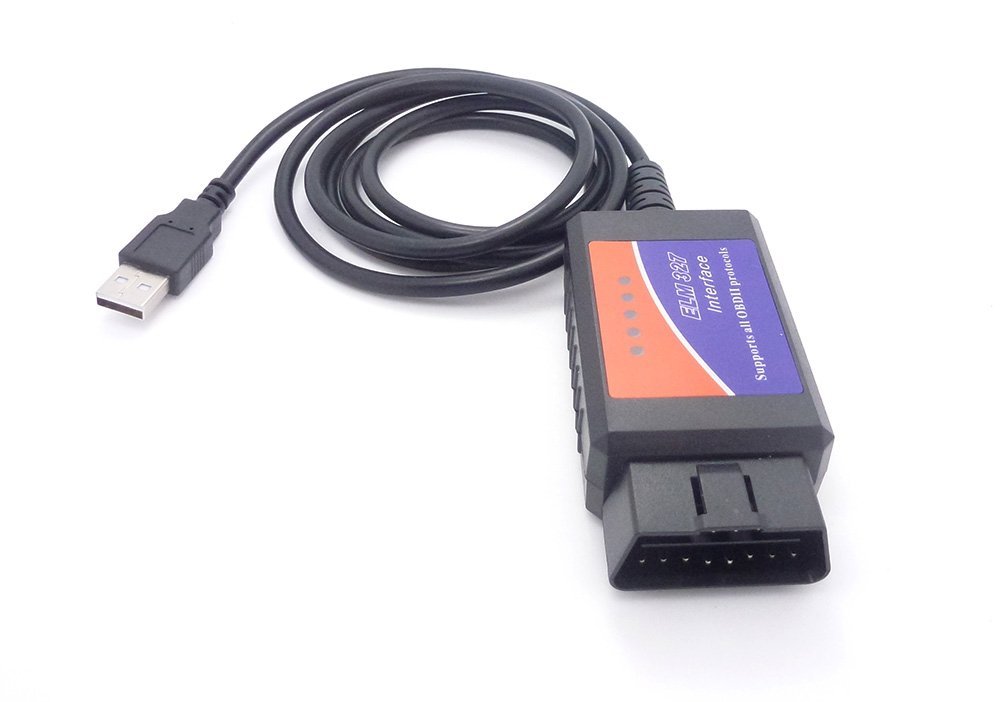
I got hold of a USB to OBD2 interface cable for about £10. Pick one up from amazon.com or amazon.co.uk.
I then took a fork of salgar’s software from his github repository, https://github.com/roflson/pyobd, as the basis for my program. salgar’s software is a fork from a project called pyobd, https://github.com/peterh/pyobd, which is a GUI based application for reading OBD-II data.
I used this as the basis for a program which would connect through OBD-II interface, ‘ask’ the car which sensors it supported and then read the data sensors in a loop every 0.5 second and write them to the screen.
I see this as step one in a project to log data about a car for other uses.
Download and run
You can download the code direct from
,
https://github.com/martinohanlon/pyobd
, so open a terminal and follow the instructions:
sudo apt-get install python-serial
sudo apt-get install git-core
cd ~
git clone https://github.com/martinohanlon/pyobd
cd pyobd
python obd_capture.py