Raspberry Pi - Minecraft - Blocks into bombs using events
Up to now I hadn’t had a need to make use of the “Event” methods in Minecraft’s API and I wanted to learn a little more about how it worked, so I could include some information in my Minecraft API Tutorial.
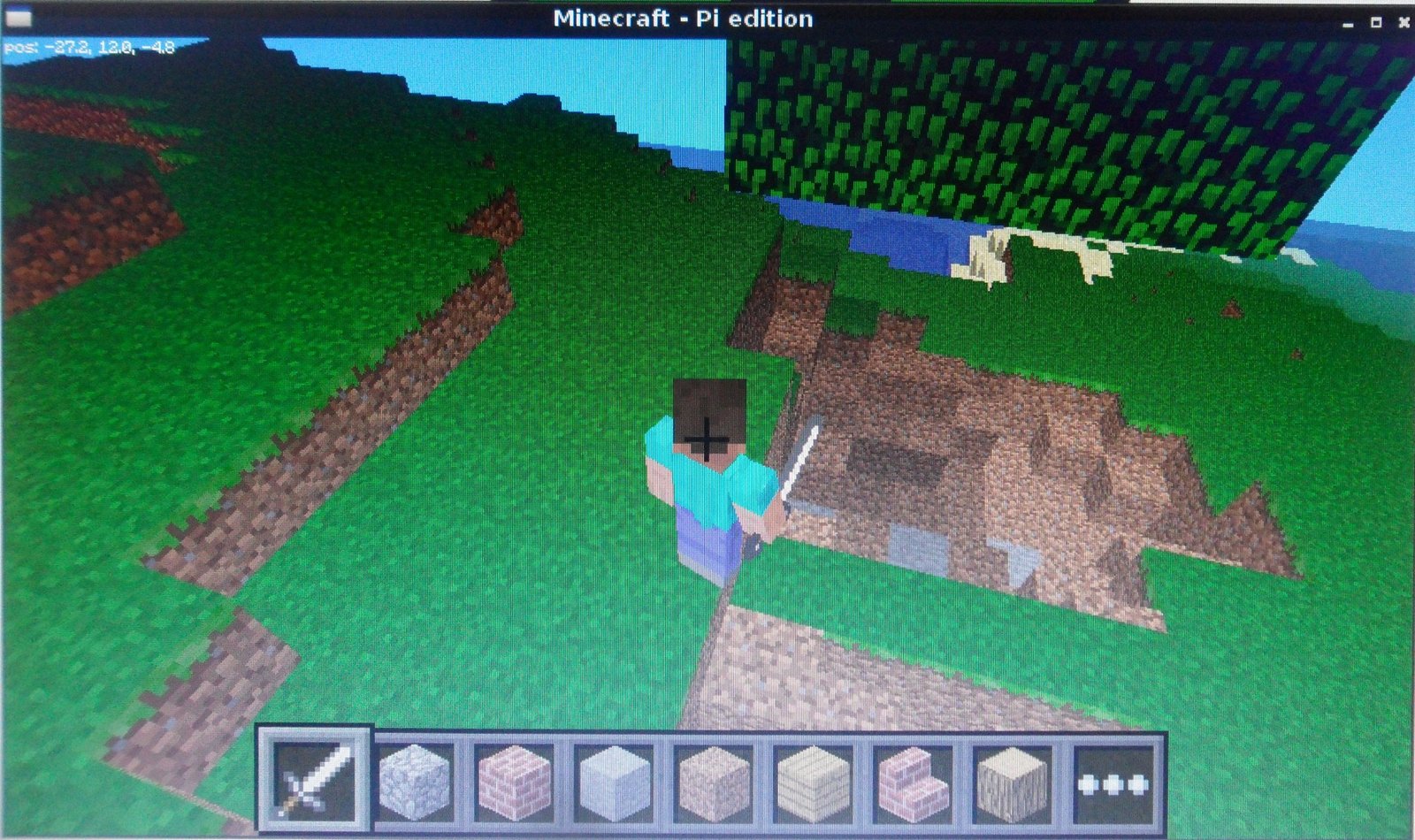 I wanted to do something fun with it, so I decided to see if I could make some bombs! The concept is really simple, when you hit a block (right click with the sword), it turns it into a mini bomb, flashing for a few seconds, before exploding and destroying all the blocks around it. Boom!
With this and the programmable cannon I wrote, I’m really getting quite destructive.
The block event methods in the API are pretty easy to understand, after you have made a connection to the minecraft server:
mc = minecraft.Minecraft.create()
You can call the mc.events.pollBlockHits() method which returns you a list of BlockEvent objects. These objects represent the blocks position (x,y,z) and face which have been hit since it was last run. So, if you hit 2 blocks in between connecting to the minecraft server and running the command you would get a list with 2 BlockEvent objects in it, if you hadn’t hit any you would get an empty list.
By creating a simple loop you can monitor the block events and then take whatever action you want:
while True:
    #Get the block hit events
    blockHits = mc.events.pollBlockHits()
    # if a block has been hit
    if blockHits:
        # for each block that has been hit
        for blockHit in blockHits:
            # do something with the block
            print blockHit.pos.x
            print blockHit.pos.y
            print blockHit.pos.z
            print blockHit.face
            print blockHit.type
            print blockHit.entityId
The bombs are created by using a class which when passed a block position, it flashes the block, by setting the block to AIR and then back again, for a number of seconds (the fuse) and then creating a sphere of AIR destroying all blocks around it.
I used pythons threading module and run the Bomb class as a daemon (i.e. outside my main program) as I wanted to be able to create multiple bombs at the same time.
Download and run
You can download the code direct from github
, https://github.com/martinohanlon/minecraft-bombs, so run minecraft, open/create a world and follow the instructions:
sudo apt-get install git-core
cd ~
git clone https://github.com/martinohanlon/minecraft-bombs.git
cd minecraft-bombs
python minecraft-bombs.py
The code
If you want learn and have a go yourself, here’s how:
Create a directory for the program
mkdir ~/minecraft-bombs
Copy the python api class library from minecraft to the programs directory
cp -r ~/mcpi/api/python/mcpi ~/minecraft-bombs/minecraft
Create minecraft-bombs.py python program
nano ~/minecraft-bombs/minecraft-bombs.py
or open Idle and save minecraft-bombs.py to the minecraft-bombs directory
Code
#www.stuffaboutcode.com
#Raspberry Pi, Minecraft Bombs - Turn any block into a bomb!

#import the minecraft.py module from the minecraft directory
import minecraft.minecraft as minecraft
#import minecraft block module
import minecraft.block as block
#import time, so delays can be used
import time
#import threading, so threads can be used
import threading

class ExplodingBlock(threading.Thread):

    def __init__(self, pos, fuseInSecs, blastRadius):
        #Setup object
        threading.Thread.__init__(self)
        self.pos = pos
        self.fuseInSecs = fuseInSecs
        self.blastRadius = blastRadius

    def run(self):
        #Open connect to minecraft
        mc = minecraft.Minecraft.create()

        #Get values
        pos = self.pos
        blastRadius = self.blastRadius

        #Explode the block!
        # get block type
        blockType = mc.getBlock(pos.x, pos.y, pos.z)
        # flash the block
        for fuse in range(0, self.fuseInSecs):
            mc.setBlock(pos.x, pos.y, pos.z, block.AIR)
            time.sleep(0.5)
            mc.setBlock(pos.x, pos.y, pos.z, blockType)
            time.sleep(0.5)
        # create sphere of air
        for x in range(blastRadius*-1,blastRadius):
            for y in range(blastRadius*-1, blastRadius):
                for z in range(blastRadius*-1,blastRadius):
                    if x**2 + y**2 + z**2 < blastRadius**2:
                        mc.setBlock(pos.x + x, pos.y + y, pos.z + z, block.AIR)

if __name__ == "__main__":

    time.sleep(5)
    #Connect to minecraft by creating the minecraft object
    # - minecraft needs to be running and in a game
    mc = minecraft.Minecraft.create()

    #Post a message to the minecraft chat window
    mc.postToChat("Minecraft Bombs, Hit (Right Click) a Block, www.stuffaboutcode.com")

    #loop until Ctrl C
    try:
        while True:
            #Get the block hit events
            blockHits = mc.events.pollBlockHits()
            # if a block has been hit
            if blockHits:
                # for each block that has been hit
                for blockHit in blockHits:
                    #Create and run the exploding block class in its own thread
                    # pass the position of the block, fuse time in seconds and blast radius
                    # threads are used so multiple exploding blocks can be created
                    explodingBlock = ExplodingBlock(blockHit.pos, 3, 3)
                    explodingBlock.daemon
                    explodingBlock.start()
            time.sleep(0.1)
    except KeyboardInterrupt:
        print("stopped")