Snake on MicroBit using MicroPython
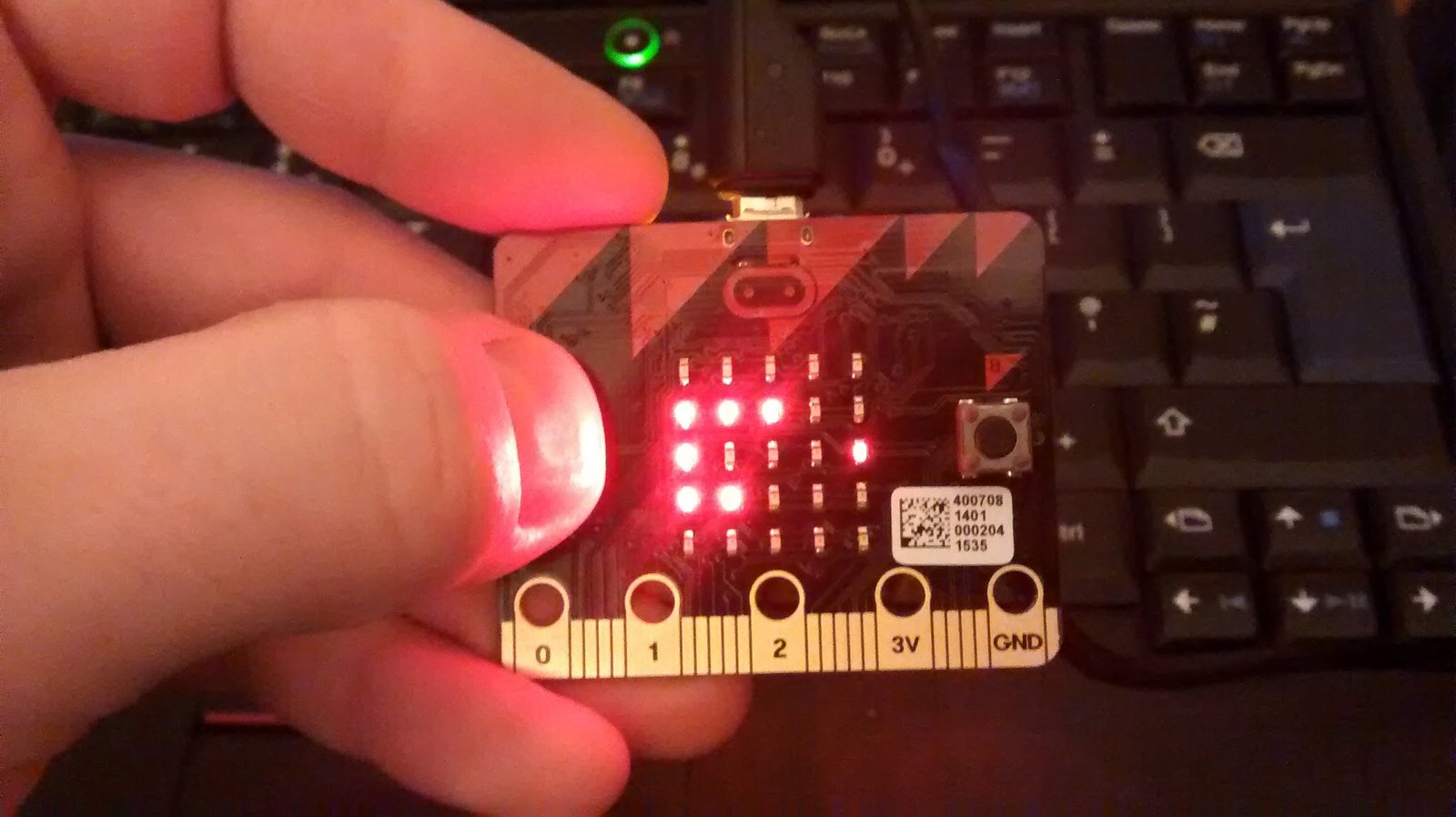 I got my hands on one of the BBC’s Microbit’s as part of ntoll’s Micro World Tour.
I used ntoll’s upyed website to create my code and download the .hex file which I uploaded to the Microbit.
After a few tests to see if everything was working I decided to see if I could port the code I wrote to make Snake for Minecraft and Raspberry Pi Sense Hat.
I was pretty pleased. If you want to have a go yourself you will find the code here.
The code
import microbit

import random

class SnakeBit():
    UP = 0
    DOWN = 1
    RIGHT = 2
    LEFT = 3

    SNAKEBRIGHTNESS = 9
    APPLEBRIGHTNESS = 5
    SAMPLETIME = 50
    SAMPLESPERMOVE = 10

    def __init__(self):
        pass

    def startGame(self):
        microbit.display.clear()
        self.direction = self.UP
        self.length = 2
        self.tail = []
        self.tail.insert(0, [2, 4])
        self.createApple()
        self.score = 0

        playing = True

        samples = 0
        while(playing):
            #keep looping around, if the button is pressed, move the snake immediately,
            #otherwise move it when the sample time is reached
            microbit.sleep(self.SAMPLETIME)
            buttonPressed = self._handle_buttons()
            samples = samples + 1
            if buttonPressed or samples == self.SAMPLESPERMOVE:
                playing = self.move()
                samples = 0

        microbit.display.scroll("Score = " + str(self.score), 100)
        microbit.display.clear()

    def _handle_buttons(self):
        buttonPressed = False

        #has a button been pressed
        if microbit.button_a.is_pressed():
            #wait for the button to be released
            while microbit.button_a.is_pressed():
                microbit.sleep(self.SAMPLETIME)
            self.left()
            buttonPressed = True

        if microbit.button_b.is_pressed():
            while microbit.button_b.is_pressed():
                microbit.sleep(self.SAMPLETIME)
            self.right()
            buttonPressed = True

        return buttonPressed

    def createApple(self):
        badApple = True
        #try and fnd a location for the apple
        while(badApple):
            x = random.randint(0,4)
            y = random.randint(0,4)
            badApple = self.checkCollision(x, y)
        self.apple = [x, y]
        microbit.display.set_pixel(x, y, self.APPLEBRIGHTNESS)

    def checkCollision(self, x, y):
        #is this outside the screen
        if x > 4 or x < 0 or y > 4 or y < 0:
            return True
        else:
            #or in the snakes tail
            for segment in self.tail:
                if segment[0] == x and segment[1] == y:
                    return True
            else:
                return False

    def addSegment(self, x, y):
        #create the new segment of the snake
        microbit.display.set_pixel(x, y, self.SNAKEBRIGHTNESS)
        self.tail.insert(0, [x, y])

        #do I need to clear a segment
        if len(self.tail) > self.length:
            lastSegment = self.tail[-1]
            microbit.display.set_pixel(lastSegment[0], lastSegment[1], 0)
            self.tail.pop()

    def move(self):
        #work out where the new segment of the snake will be
        newSegment = [self.tail[0][0], self.tail[0][1]]
        if self.direction == self.UP:
            newSegment[1] -= 1
        elif self.direction == self.DOWN:
            newSegment[1] += 1
        elif self.direction == self.LEFT:
            newSegment[0] -= 1
        elif self.direction == self.RIGHT:
            newSegment[0] += 1

        if self.checkCollision(newSegment[0], newSegment[1]):
            #game over
            snakehead = self.tail[0]
            for flashHead in range(0,5):
                microbit.display.set_pixel(snakehead[0], snakehead[1], self.SNAKEBRIGHTNESS)
                microbit.sleep(200)
                microbit.display.set_pixel(snakehead[0], snakehead[1], 0)
                microbit.sleep(200)

            return False

        else:
            self.addSegment(newSegment[0], newSegment[1])

            #has the snake eaten the apple?
            if newSegment[0] == self.apple[0] and newSegment[1] == self.apple[1]:
                self.length += 1
                self.score += 10
                self.createApple()

            return True

    def left(self):
        if self.direction == self.RIGHT:
            self.direction = self.UP
        elif self.direction == self.UP:
            self.direction = self.LEFT
        elif self.direction == self.LEFT:
            self.direction = self.DOWN
        elif self.direction == self.DOWN:
            self.direction = self.RIGHT

    def right(self):
        if self.direction == self.RIGHT:
            self.direction = self.DOWN
        elif self.direction == self.DOWN:
            self.direction = self.LEFT
        elif self.direction == self.LEFT:
            self.direction = self.UP
        elif self.direction == self.UP:
            self.direction = self.RIGHT

snake = SnakeBit()
snake.startGame()